Flinders Golf Club – System Information

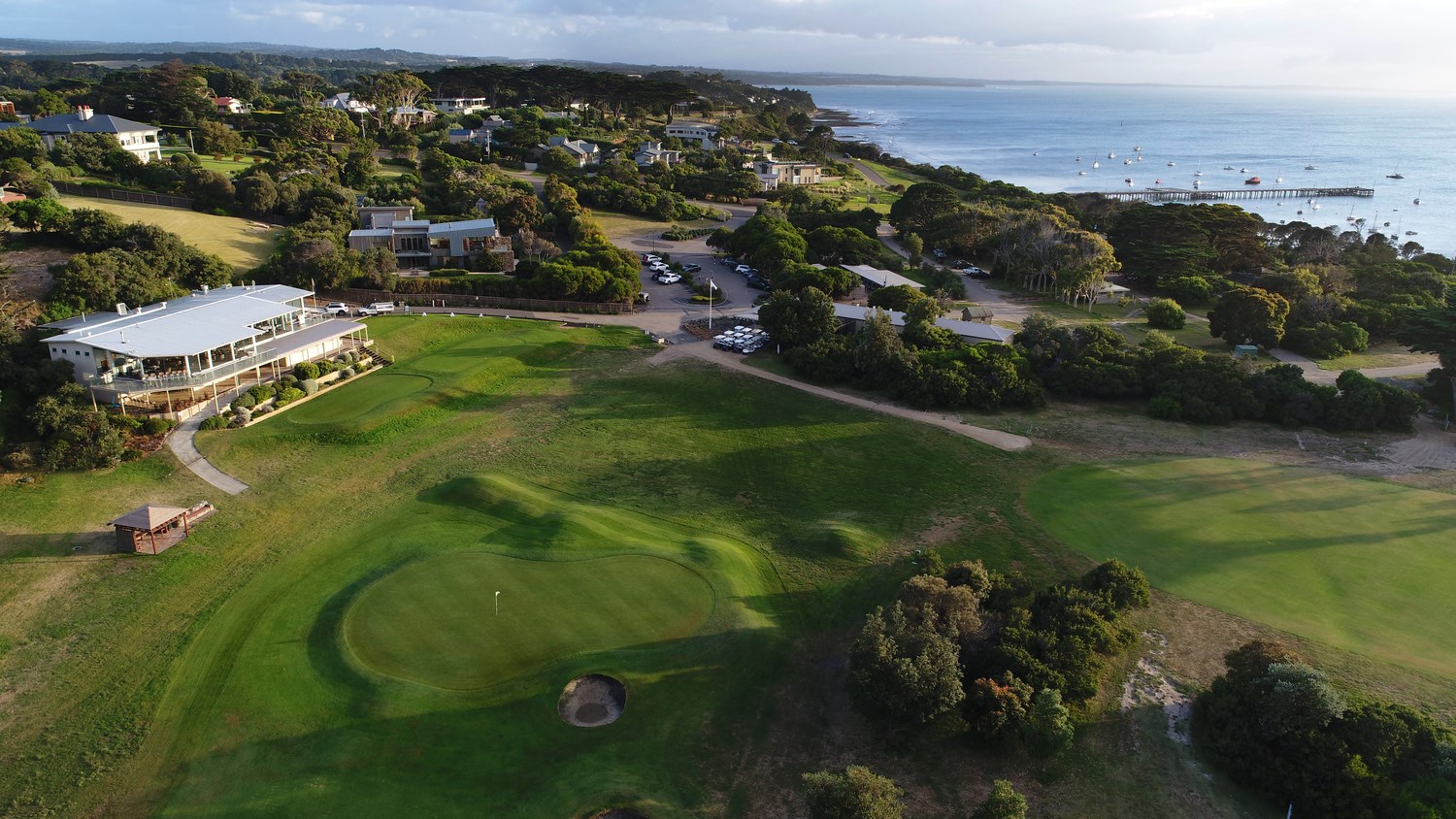
Flinders Golf Club Main Image

QR Code Link to Instructions

Link to this page

Flinders Golf Club – System Information

TV & Audio System

System Information by Straight Forward Technology
📶 WiFi Network
SF Logo

📶 Wi-Fi Connection

Network Name: FGC Staff

Password: BallChase11

📱 Note: The bar iPad is already connected to this network

🔒 Security: This is the staff network – please keep credentials secure

📺 TV System
SF Logo
📡 Free to Air TV

Watch standard free-to-air television channels on any TV in the venue.

📺 Steps to Watch Free-to-Air:

  1. Point TV REMOTE at any TV
  2. Press INPUT
  3. Select TV
  4. Press Channel up or Down

📌 NOTE: Channel 66 is an additional streaming channel to stream the same thing on multiple TV’s at once (see streaming sections below)

📱 Streaming to a Single TV

Stream content from your device (Kayo, YouTube, etc.) to an individual TV.

📱 Steps to Stream to One TV:

  1. Connect your device to the WiFi (the bar iPad is already connected)
  2. Get a video playing on your device (Kayo, Youtube, etc.)
  3. Press the Chromecast icon and choose your TV

🔊 Audio Note: When streaming to a single TV the audio will only come from that TV

📺 Streaming to Multiple TVs at Once

Display the same content on all TVs simultaneously using Channel 66.

📱 Method 1: Using Mobile Device or iPad

  1. Point TV REMOTE at each TV you want to use >> press INPUT >> Select TV
  2. Press Channel up or Down to navigate to Channel 66 on each TV
  3. Connect your device to the WiFi (the bar iPad is already connected)
  4. Get a video playing on your device (Kayo, Youtube, etc.)
  5. Press the Chromecast icon and choose ALL TV’s – CHANNEL 66
  6. Any TV set to channel 66 will display what you’re streaming from your device

💻 Method 2: Using Laptop with Google Chrome

  1. Ensure Google Chrome is installed on your laptop or Mac
  2. Connect to the WiFi network (see credentials above)
  3. Open Google Chrome browser
  4. Click the 3 dots in the top right corner of Chrome
  5. Click “Cast, save and share”
  6. Click “Cast…”
  7. Click “Sources” and select “Entire screen”
  8. Choose Channel 66 Google TV from the list of cast devices

🔊 Audio Advantage: When streaming to Channel 66 the audio can be sent into the venue speakers (see audio section below)
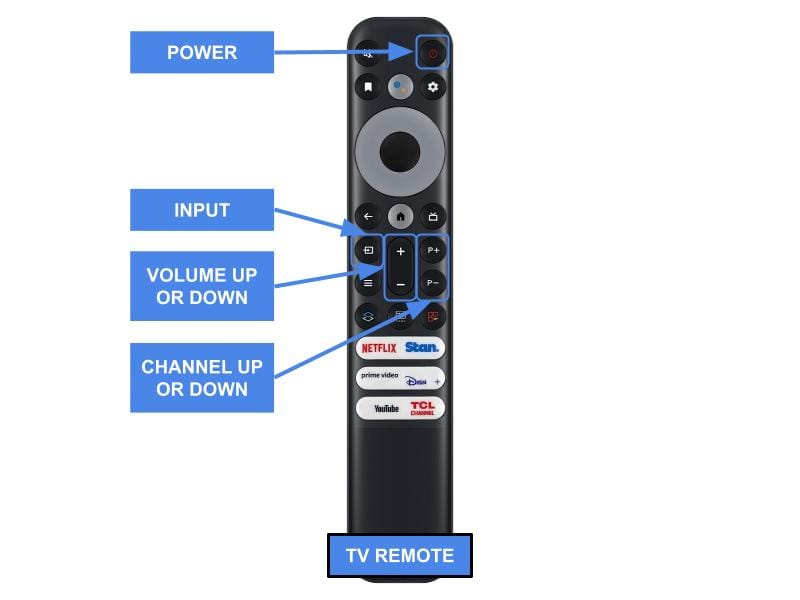
TV Remote Control

TV Remote Control – Labeled Buttons

🔊 Audio System
SF Logo
🎵 Spotify (or any audio app on the iPad)

⚠️ IMPORTANT NOTE: If music is playing via Airplay (see Audio below), streaming video may interrupt the music. To fix, get the video streaming first then follow the steps in the Audio section below.

Play music through the venue speakers using the iPad or any compatible device.

🎵 Steps to Play Audio:

  1. Open Spotify (or other audio app). Get music playing (something appropriate)
  2. Swipe down from the very top of the screen
  3. Click the Airplay icon and choose Apple TV
⚙️ Technical Information (Audio)

NOTE: If streaming video via Chromecast get that going first then return here

Audio plays through venue speaker system when connected to Apple TV via Airplay

🏌️ Leaderboard
SF Logo
📊 Displaying Golf Leaderboard

Display the Flinders Golf Club leaderboard on TV 1.

📺 Note: Displayed on TV 1 only

📊 Steps to Display Leaderboard:

  1. Point TV REMOTE at TV 1
  2. Go to the Browser app
  3. Go to Favourites and select the Flinders Golf Club website
📞 Technical Support
SF Logo

Straight Forward Technology

📞 +61 3 9028 7388

📧 info@sfpctv.com

📍 PO Box 119 Rye VIC 3941

🌐 sfpctv.com

🕐 Business Hours: Monday – Friday, 9:00 AM – 5:00 PM

🚨 Emergency Support: Available for critical issues